

1. Create a Business account
Sign up or log in to the Business Dashboard, then complete your business profile (pickup address and phone are used as defaults when placing orders).2. Generate an API key
Open Developers → Setup in the side menu. Generate an API key (and configure your webhook on the same page).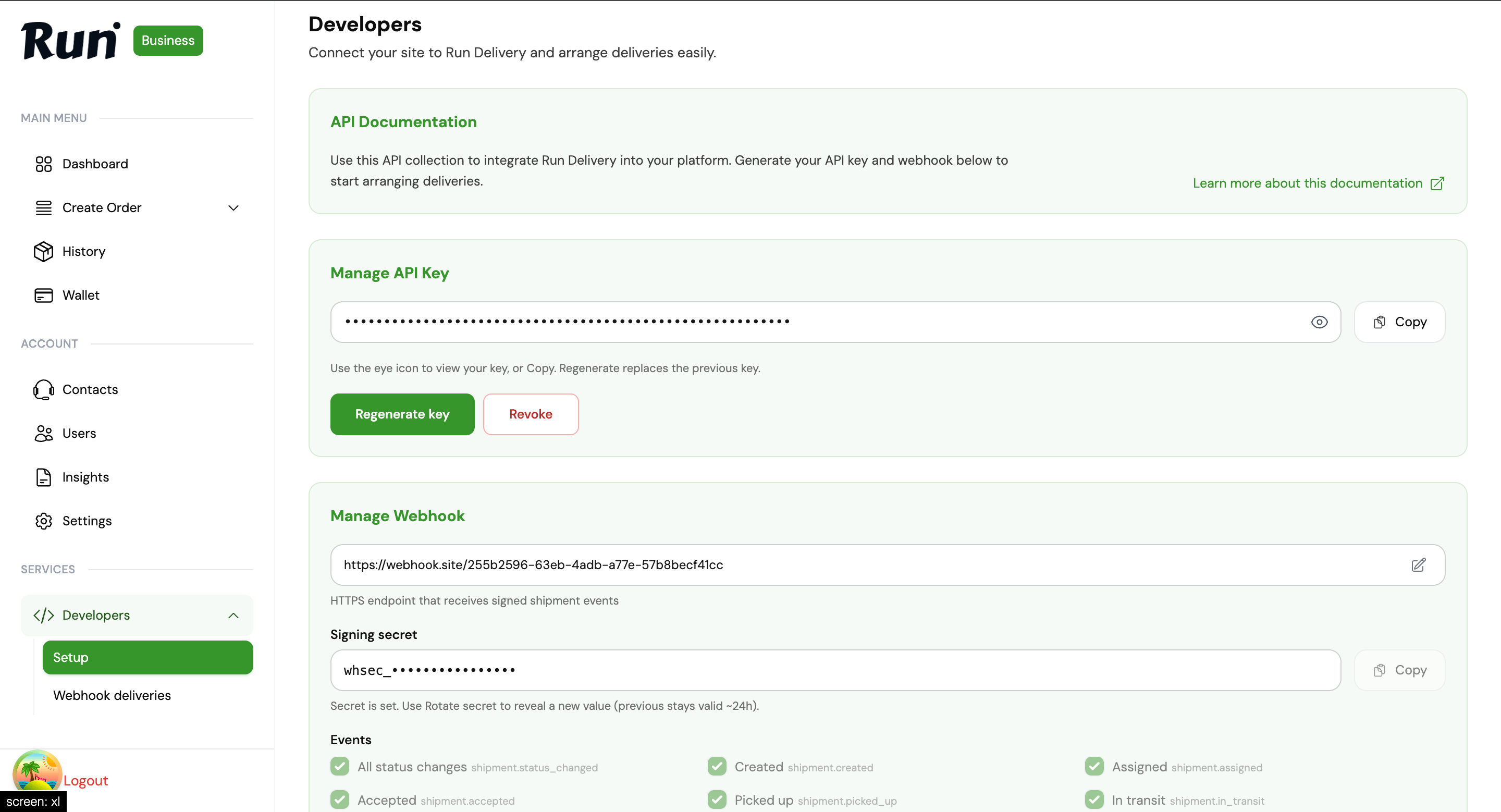
Business Dashboard → Developers → Setup — API key and webhook configuration
https://staging.rundeliverys.com/api/v2) with a run_test_… key while integrating, then production (https://api.rundeliverys.com/api/v2) with a run_live_… key.
Store the key securely on your server — never in a mobile app or frontend.
3. Fund your wallet
Placing orders debits your Business wallet. Fund it from the dashboard before you callPOST /business/order. See Wallet funding.
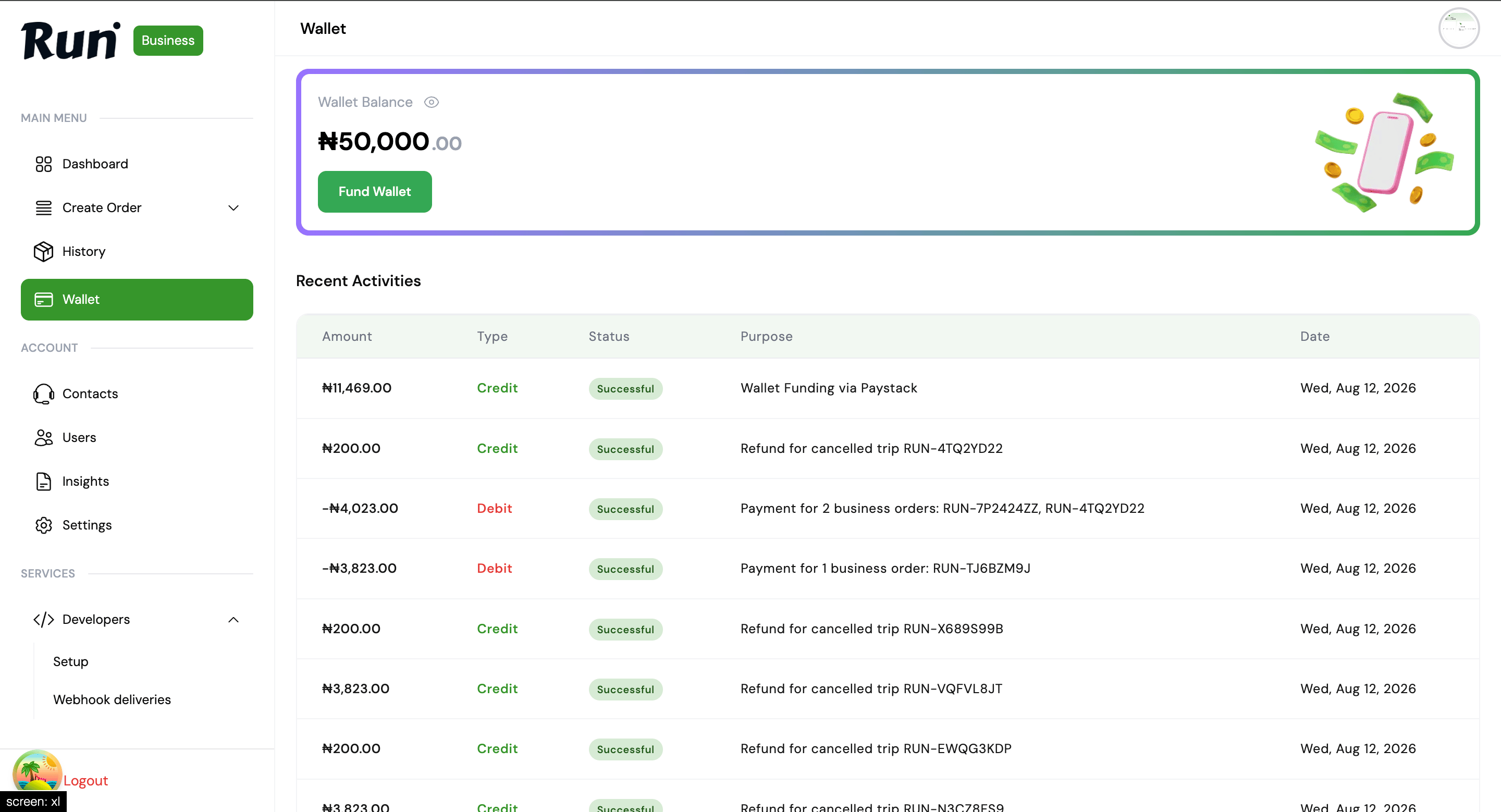
Business Dashboard → Wallet — fund balance before placing API orders
4. List rate-card options (optional)
If RUN admin has set custom rates for your business:vehicle_type and options[].id when quoting. See Rate cards.
5. Get a quote
$BASE is your base URL — for staging use https://staging.rundeliverys.com/api/v2.
6. Place an order
7. Listen for webhooks (optional)
In Developers → Setup, register an HTTPS webhook URL and store the signing secret (shown once as something likewhsec_••••••••••••••••). Run POSTs signed events when shipment status changes.
Signatures are HMAC-SHA256 of orderId + status + timestamp (see Verify signatures).
Track delivery attempts under Developers → Webhook deliveries. See Webhooks.
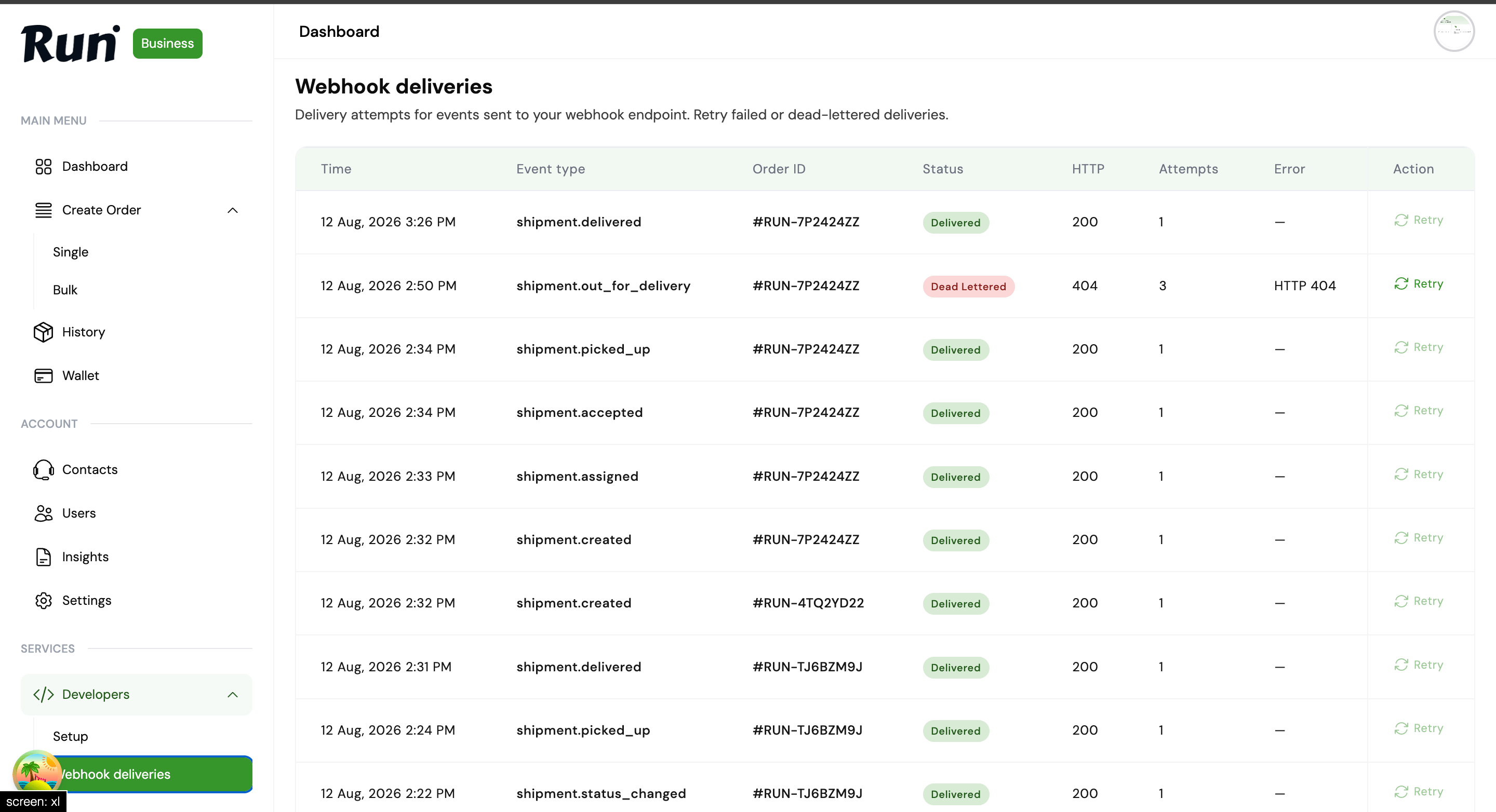
Business Dashboard → Developers → Webhook deliveries — inspect retries and dead-lettered events