> ## Documentation Index
> Fetch the complete documentation index at: https://run-deliverys.mintlify.site/llms.txt
> Use this file to discover all available pages before exploring further.
# Quickstart
> Create an account, get an API key, quote a delivery, and place your first order.
export const API_PRODUCTION_URL = "https://api.rundeliverys.com/api/v2";
export const API_STAGING_URL = "https://staging.rundeliverys.com/api/v2";
Follow these steps to call the Business API from your server.
## 1. Create a Business account
Sign up or log in to the Business Dashboard, then complete your business profile (pickup address and phone are used as defaults when placing orders).
* **Staging:** [Sign up ↗](https://b2b-dev.rundeliverys.com/register) · [Log in ↗](https://b2b-dev.rundeliverys.com/login)
* **Production:** [Sign up ↗](https://b2b-hub.rundeliverys.com/register) · [Log in ↗](https://b2b-hub.rundeliverys.com/login)
## 2. Generate an API key
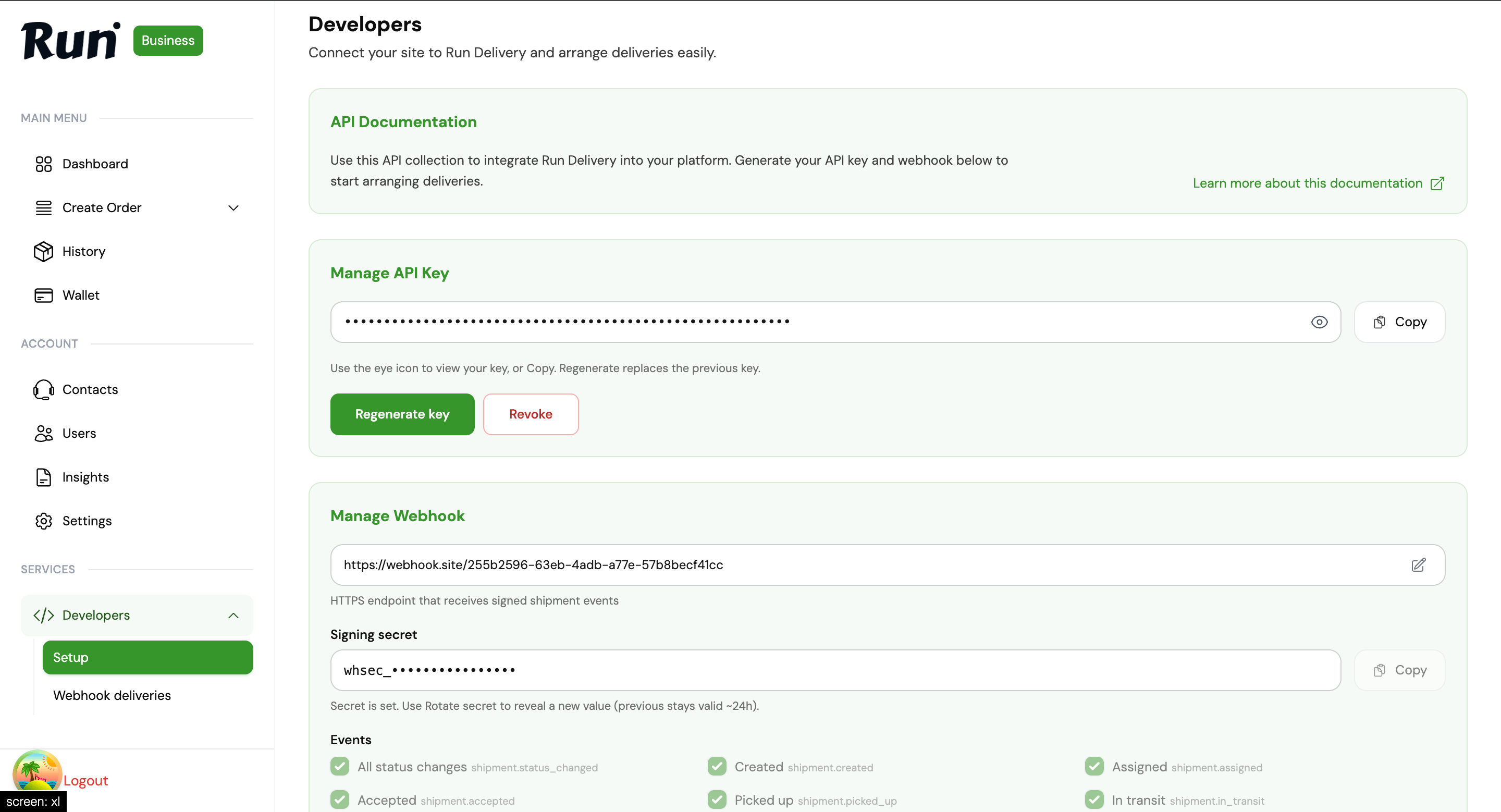
Open **Developers → Setup** in the side menu. Generate an API key (and configure your webhook on the same page).
 ```text theme={null}
Staging: run_test_fce859d98c4f0e2b1e644d5a46e2fb9fb45bde58b36a0wfj
Production: run_live_fce859d98c4f0e2b1e644d5a46e2fb9fb45bde58b36a0wfj
```
Use staging (
```text theme={null}
Staging: run_test_fce859d98c4f0e2b1e644d5a46e2fb9fb45bde58b36a0wfj
Production: run_live_fce859d98c4f0e2b1e644d5a46e2fb9fb45bde58b36a0wfj
```
Use staging ({API_STAGING_URL}) with a `run_test_…` key while integrating, then production ({API_PRODUCTION_URL}) with a `run_live_…` key.
Store the key securely on your server — never in a mobile app or frontend.
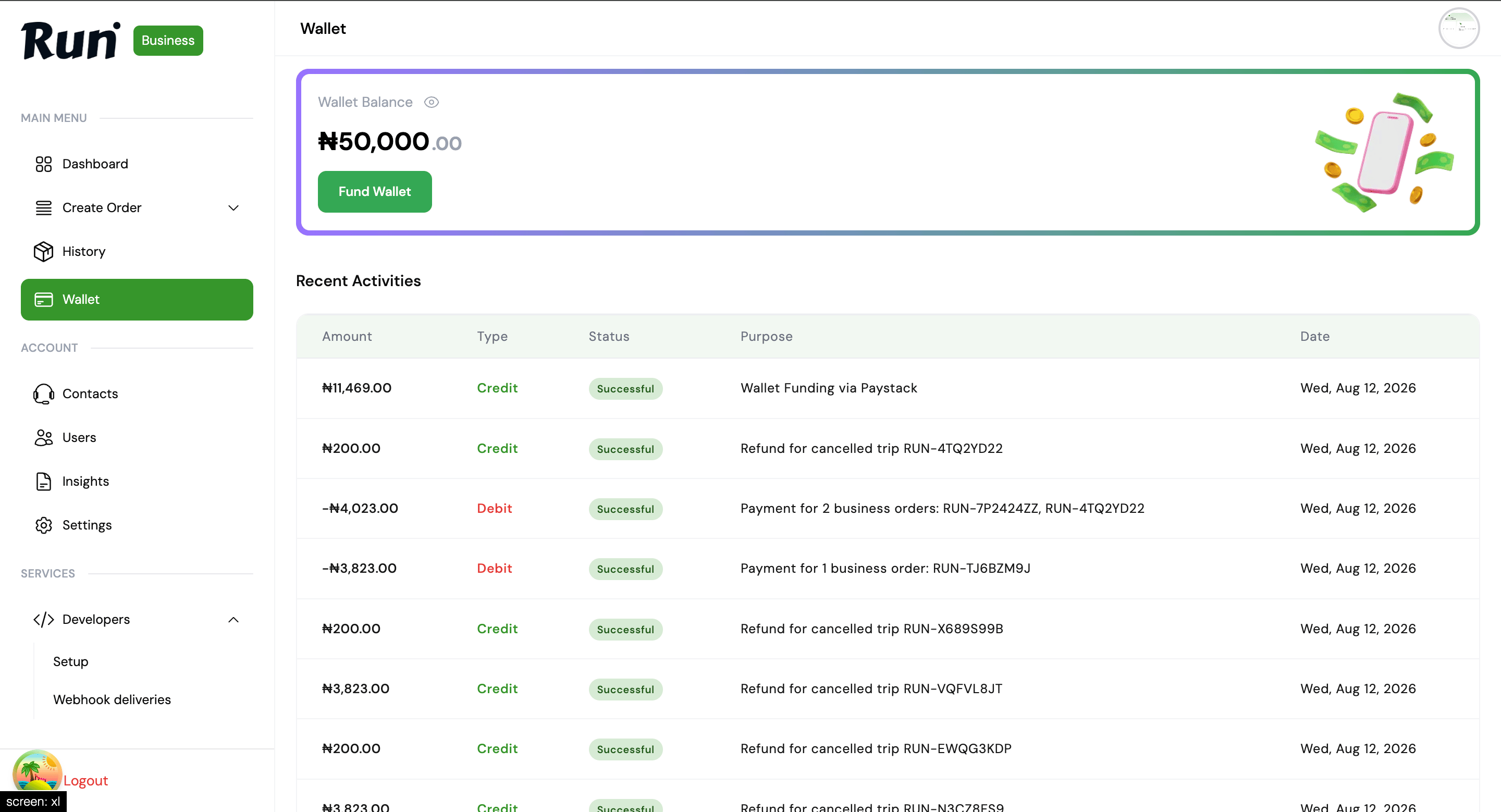
## 3. Fund your wallet
Placing orders debits your Business wallet. Fund it from the dashboard before you call `POST /business/order`. See [Wallet funding](/guides/wallet-funding).
 ## 4. List rate-card options (optional)
If RUN admin has set custom rates for your business:
```bash theme={null}
curl -X GET "$BASE/business/rate-cards" \
-H "Authorization: Bearer $RUN_API_KEY"
```
This is **read-only** (you do not negotiate prices here). Use `vehicle_type` and `options[].id` when quoting. See [Rate cards](/orders/rate-cards).
## 5. Get a quote
```bash theme={null}
curl -X POST "$BASE/business/order/cost" \
-H "Authorization: Bearer $RUN_API_KEY" \
-H "Content-Type: application/json" \
-d '{
"pickup_address": "15 Bode Thomas Street, Surulere, Lagos",
"dropoff_address": "24 Allen Avenue, Ikeja, Lagos",
"weight": 2,
"vehicle_type": "bike"
}'
```
A successful rate-card response looks like:
```json theme={null}
{
"price": 5000,
"distance_km": 12.4,
"currency": "NGN",
"pricing_model": "rate_card",
"option_label": "0.5–2.5 kg",
"delivery_mode": "MOTORBIKE"
}
```
`$BASE` is your [base URL](/get-started/base-url) — for staging use
## 4. List rate-card options (optional)
If RUN admin has set custom rates for your business:
```bash theme={null}
curl -X GET "$BASE/business/rate-cards" \
-H "Authorization: Bearer $RUN_API_KEY"
```
This is **read-only** (you do not negotiate prices here). Use `vehicle_type` and `options[].id` when quoting. See [Rate cards](/orders/rate-cards).
## 5. Get a quote
```bash theme={null}
curl -X POST "$BASE/business/order/cost" \
-H "Authorization: Bearer $RUN_API_KEY" \
-H "Content-Type: application/json" \
-d '{
"pickup_address": "15 Bode Thomas Street, Surulere, Lagos",
"dropoff_address": "24 Allen Avenue, Ikeja, Lagos",
"weight": 2,
"vehicle_type": "bike"
}'
```
A successful rate-card response looks like:
```json theme={null}
{
"price": 5000,
"distance_km": 12.4,
"currency": "NGN",
"pricing_model": "rate_card",
"option_label": "0.5–2.5 kg",
"delivery_mode": "MOTORBIKE"
}
```
`$BASE` is your [base URL](/get-started/base-url) — for staging use {API_STAGING_URL}.
## 6. Place an order
```bash theme={null}
curl -X POST "$BASE/business/order" \
-H "Authorization: Bearer $RUN_API_KEY" \
-H "Content-Type: application/json" \
-d '[
{
"dropoff_address": "24 Allen Avenue, Ikeja, Lagos",
"dropoff_state": "Lagos",
"recipient_name": "Adewale Johnson",
"recipient_phone": "+2348022222222",
"item_name": "Shoes",
"weight": 2,
"quantity": 1,
"vehicle_type": "bike"
}
]'
```
## 7. Listen for webhooks (optional)
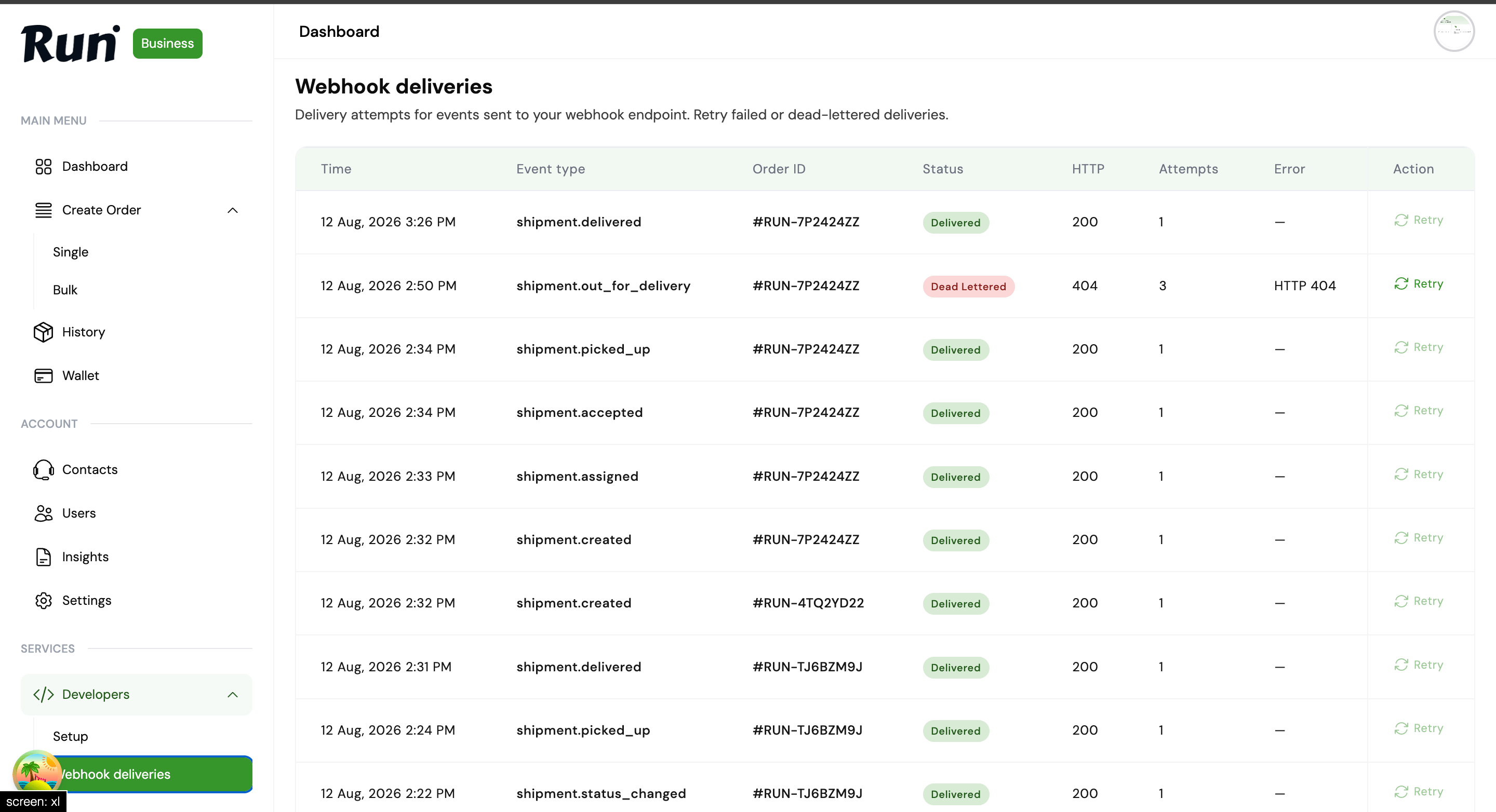
In **Developers → Setup**, register an HTTPS webhook URL and store the signing secret (shown once as something like `whsec_••••••••••••••••`). Run POSTs signed events when shipment status changes.
Signatures are HMAC-SHA256 of `orderId + status + timestamp` (see [Verify signatures](/webhooks/overview#verify-signatures)).
Track delivery attempts under **Developers → Webhook deliveries**. See [Webhooks](/webhooks/overview).
 Keys generated in the dashboard include both `orders:read` and `orders:write` by default.
This documentation is built and hosted on [Mintlify](https://mintlify.com), a developer documentation platform.
Keys generated in the dashboard include both `orders:read` and `orders:write` by default.
This documentation is built and hosted on [Mintlify](https://mintlify.com), a developer documentation platform.