> ## Documentation Index
> Fetch the complete documentation index at: https://run-deliverys.mintlify.site/llms.txt
> Use this file to discover all available pages before exploring further.
# Authentication
> Authenticate Business API requests with Bearer API keys.
Authenticate every request by including your **API key** in the `Authorization` header using the Bearer scheme.
```http theme={null}
Authorization: Bearer YOUR_API_KEY
```
### Sample Authorization headers
Full example keys (use yours from the dashboard):
```http theme={null}
Authorization: Bearer run_test_fce859d98c4f0e2b1e644d5a46e2fb9fb45bde58b36a0wfj
```
```http theme={null}
Authorization: Bearer run_live_fce859d98c4f0e2b1e644d5a46e2fb9fb45bde58b36a0wfj
```
## API keys
| Environment | Prefix | Where to get it |
| - | - | - |
| Staging | `run_test_` | Dashboard → **Developers** → Generate key |
| Production | `run_live_` | Same page on your production Business account |
Keys always start with `run_test_` (staging) or `run_live_` (production), followed by a long random token.
**Secure your API key.** Do not commit keys to git, put them in mobile apps, or use them in browser-side JavaScript. Only call the API from your backend. If a key leaks, revoke or regenerate it immediately in the dashboard.
Requests without a valid key fail with `401 Unauthorized`.
Do **not** send a custom `api_key` header — Run only reads `Authorization: Bearer …`.
## Scopes
Each API key carries scopes that control what it can do.
| Scope | Allows |
| - | - |
| `orders:write` | Quote cost, place orders |
| `orders:read` | List orders, get order, download receipt |
Keys generated in the dashboard include both scopes by default. Missing a required scope returns `403`.
## Rotate and revoke
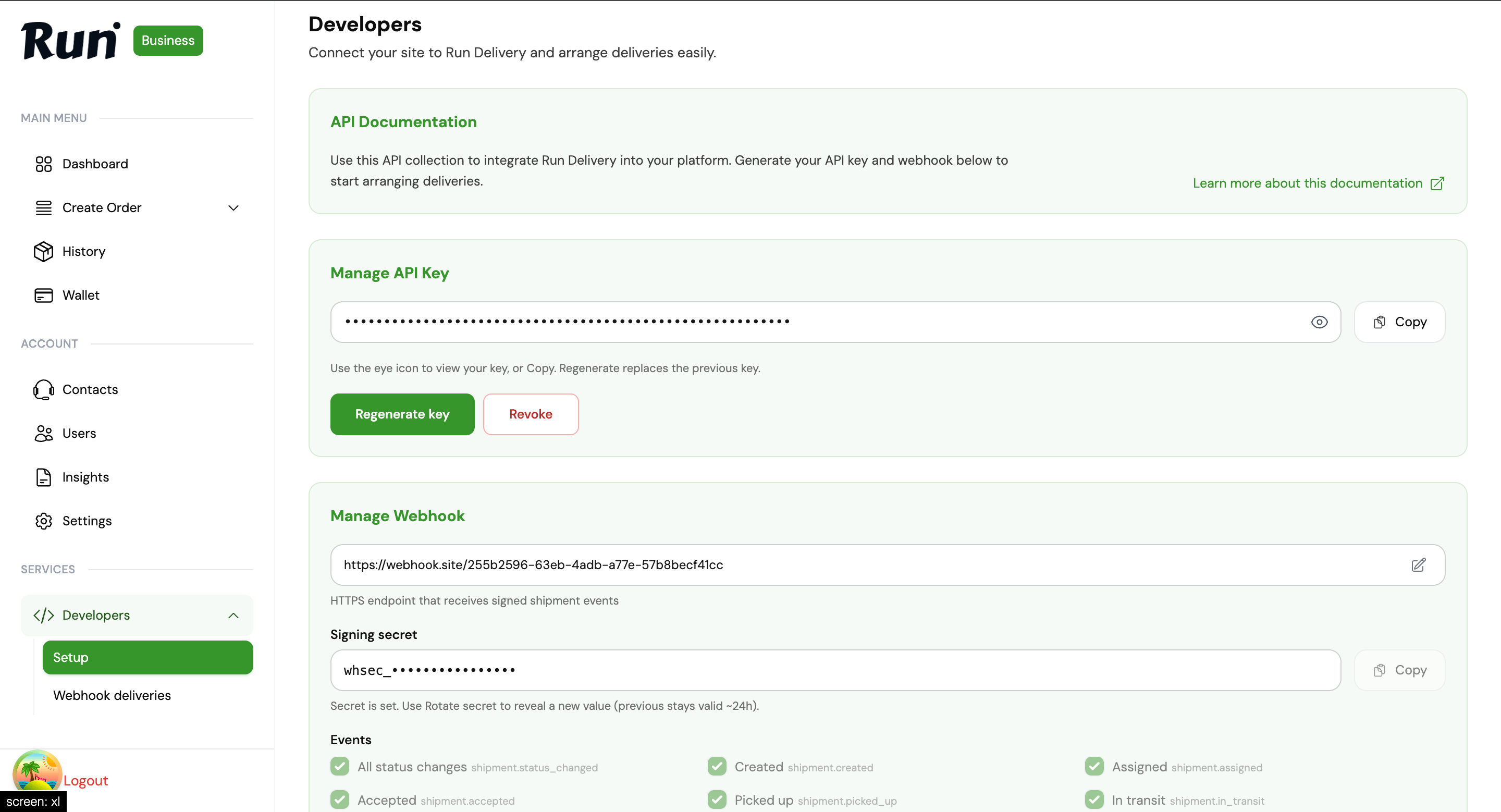
Manage keys from the Business Dashboard → **Developers → Setup**. Rotate or revoke compromised keys immediately. After revoke, requests using that key return `401`.
 This documentation is built and hosted on [Mintlify](https://mintlify.com), a developer documentation platform.